A Game Spec is the declarative definition of a game: how it installs, which image it runs in, how it starts and stops, which ports it needs, which settings it exposes, what its config files look like, what a backup captures, and how to ask it who is online. It is the "egg" equivalent, and it is one YAML file.
Nine specs are embedded in the Panel binary. They are a starting library, not a closed set: import one, edit it, or write your own.
What ships
| spec | what it targets | platforms |
|---|---|---|
| Abiotic Factor | SteamCMD app 2857200, a UE5 Windows build. Name, world save, player cap and password are launch options. | windows-native, linux-wine |
| Enshrouded | SteamCMD app 2278520, a Windows build, live-validated under Wine 10. Everything configures through enshrouded_server.json; joining is gated by per-role passwords. Memory-hungry: 16 GB for a full 16-slot group. |
windows-native, linux-wine |
| Factorio | The headless build, not on SteamCMD. The install pulls the current stable from factorio.com and creates a world if none exists. Admin lists and map-gen tweaks go through Files or SFTP. | linux-native |
| Palworld | SteamCMD app 2394010, with the full PalWorldSettings.ini option set. |
linux-native |
| RuneScape Dragonwilds | SteamCMD app 4019830, shipped for both operating systems from one appid. Six-player cap. It refuses to start until the OwnerId field carries your in-game Player ID. |
linux-native, windows-native |
| V Rising | SteamCMD app 1829350, Windows-only. ServerHostSettings.json for identity and network, a preset for gameplay rules. BepInEx-capable. |
windows-native |
| Valheim | SteamCMD app 896660. Name, world, password and public listing are launch options. No ready_regex, so it reads running once the process is up. BepInEx-capable. |
linux-native |
| Windrose | SteamCMD app 4129620, Windows-only. The server rewrites its own ServerDescription.json at runtime, so Kraken deliberately does not template it: boot once, then edit through Files or SFTP. |
windows-native |
| Windows Demo Server | Not a game. A nanoserver image and a cmd loop, so you can watch the Windows container lifecycle end to end without a 30 GB download. |
windows-native |
Specs with a query: block report who is online: Valheim over A2S, Palworld
over its REST API, Enshrouded and Dragonwilds from their console logs. Specs
with a backup: block capture their saves rather than the install tree; Abiotic
Factor, Windrose and the demo have no block and fall back to the Panel's
built-in policy. See Who is online and
Backups.
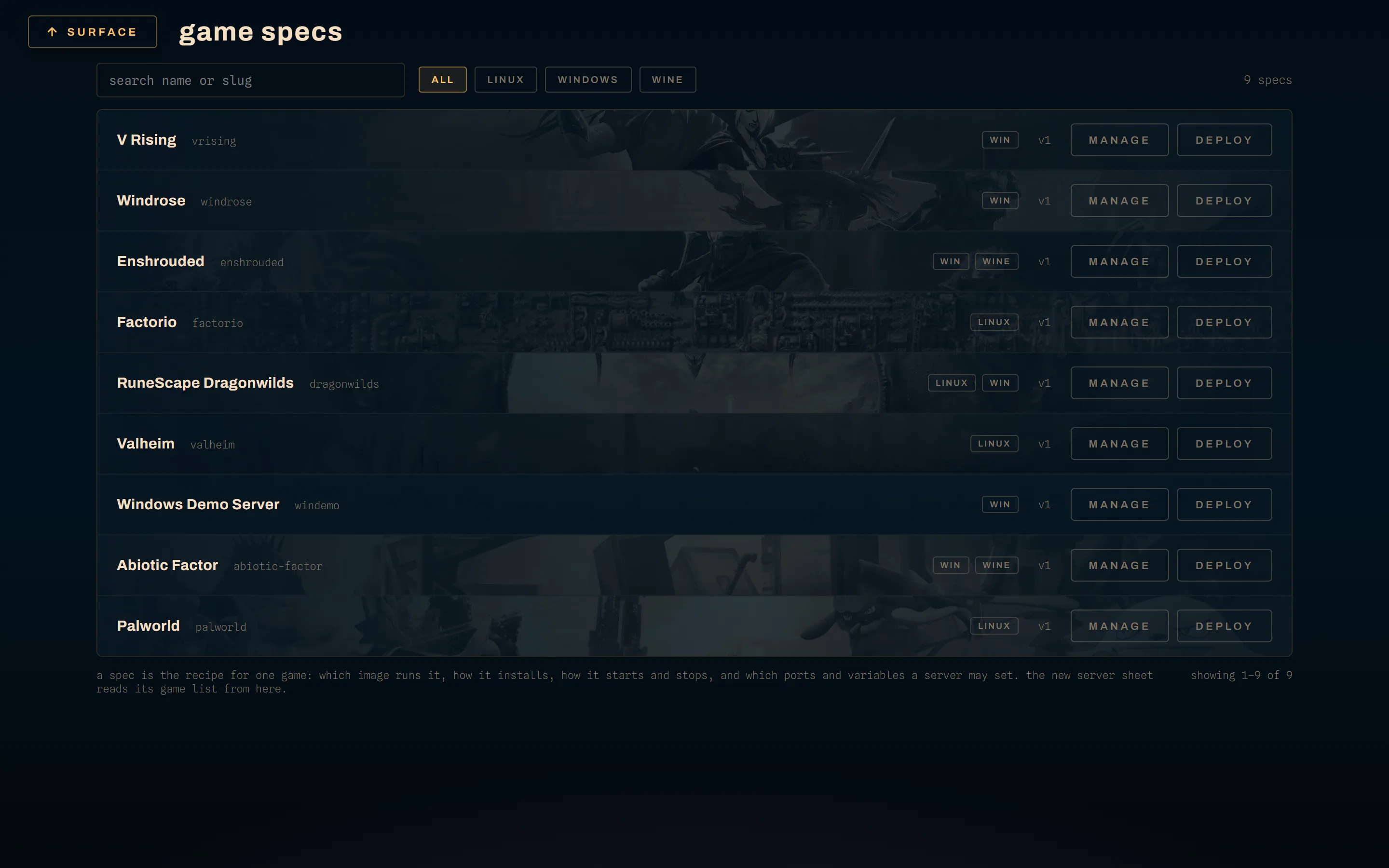
Seeding, and importing
These are two different things and the difference matters on an upgrade.
The first-boot seed. On a genuinely fresh install, the Panel imports the whole bundled catalog once, so a headless or API-first deployment does not start with an empty spec table. It is latched by a setting, so it runs once ever, and it seeds only into an empty spec table. An existing deployment reaching that code for the first time gets the latch set and nothing imported, because injecting new bundled entries into a curated fleet would be a surprise rather than a convenience.
The one-click import. POST /catalog/{id}/import copies one bundled spec
into your catalog. The catalog listing flags entries you already hold by slug,
so the UI can stop you importing the same game twice. An import that collides
with an existing slug is a 409.
Either way, what lands in your catalog is a copy. Upgrading Kraken does not update an imported spec, and editing one does not change the bundled file. That is the trade: your edits are safe from a release, and a fix to a bundled spec is yours to take by hand.
Editing a spec
PUT /specs/{id}, or the spec editor in the UI, takes JSON or YAML and
validates before it saves. Every successful update increments the spec's
version, which is the number a server card shows beside the slug.
An edit does not reach into running servers. A server picks up its spec's current install script on its next update pass, its current startup command and environment on its next start, and its current config templates on the next settings save or start. Nothing is rewritten under a running game.
Deleting a spec is a 204. Do not delete one that servers are deployed from.