BepInEx is a mod loader for Unity games, and that is the boundary: a game that is not Unity has no BepInEx, whatever its modding scene looks like. Kraken does not try to detect this. A spec declares whether the game supports it, and the Panel honours the deploy toggle only for a spec that does.
The three pieces in a spec
| field | what it does |
|---|---|
install.bepinex_compatible |
declares that this game supports BepInEx. Without it the deploy toggle is not shown, and an install_bepinex in the API is ignored. |
install.bepinex_script |
the overlay: the script that installs the loader on top of the game. |
startup.bepinex_command |
an alternative startup command for a modded server. Optional. |
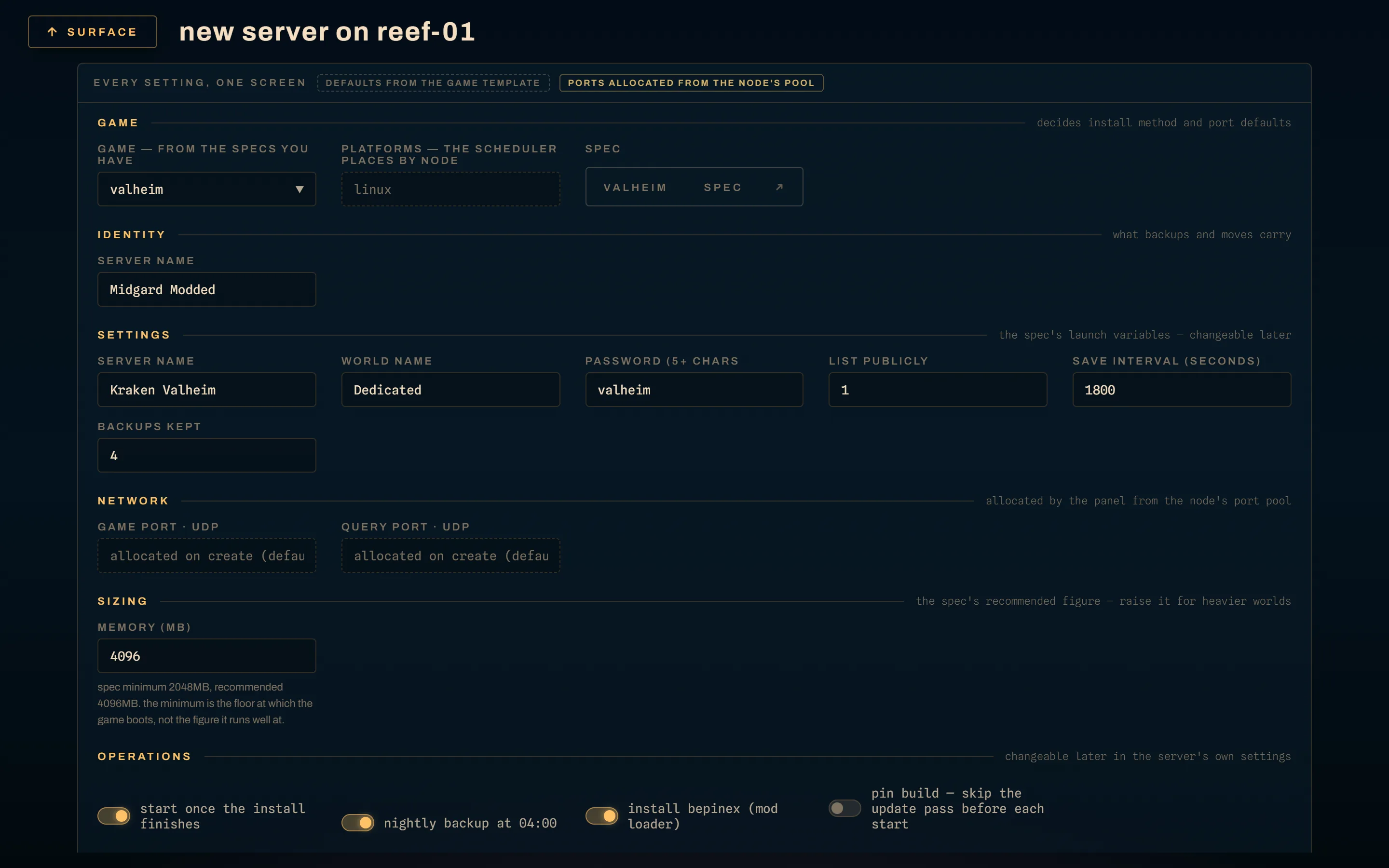
At deploy time the toggle is install bepinex (mod loader), and it appears only
when the selected spec sets bepinex_compatible. What you choose is stored on
the server, not on the spec, so two servers from one spec can differ.
What branches, and where
Install. The Panel builds the install script by concatenating the spec's
ordinary install script with the BepInEx overlay: \n between them on Linux,
& on a Windows node, since a windows-native script is a cmd chain. The
whole thing is then rendered with the server's variables, so the overlay sees
the same values the rest of the install does.
Startup. If the server was deployed with BepInEx and the spec declares a
bepinex_command, that command replaces the ordinary one. If it does not, the
ordinary command is used, which is correct for a loader that hooks itself in
without needing the launch line changed: V Rising's winhttp.dll is loaded by
the game automatically, so there is nothing to override.
Mods themselves go in through the Files tab or SFTP, into the plugins directory the overlay created. Kraken has no mod manager and no Thunderstore browser; it installs the loader and gets out of the way. Do include the plugins tree in the spec's backup globs, because a reinstall does not restore it.
The update pass does not re-run the overlay
Since 0.50.0 every operator-initiated start re-runs the install script. It runs the vanilla script only. The overlay runs at create and reinstall, never on the pre-start pass, and this is deliberate on two counts:
- These scripts copy over the tree. Valheim's
cp -rf …/. /data/would clobberBepInEx/config/on every restart, taking your mod configuration with it. - They pull unpinned builds. V Rising's overlay asks Thunderstore for the latest package. A loader silently moving under a running fleet, on every restart, is not an update story I would want.
A SteamCMD validate leaves the Doorstop and winhttp files alone anyway, so
the overlay has nothing to repair after an ordinary update. When you do want the
loader refreshed, reinstall is the action: it re-runs the overlay for a
server that was deployed with it.
The two bundled specs
Valheim (Mono, so BepInEx 5). The overlay downloads a pinned Thunderstore
package, unpacks it over the data directory, and creates BepInEx/plugins. The
modded startup command sets the Doorstop environment: DOORSTOP_ENABLE, the
preloader DLL path, a corlib override and LD_PRELOAD for the Doorstop shared
object. That last part is why Valheim needs the alternative command and V Rising
does not.
V Rising (IL2CPP, so BepInEx 6). The overlay is a single PowerShell line
that resolves the latest Thunderstore download for the BepInEx IL2CPP pack and
for ServerLaunchFix, expands both into C:\data, and copies the launch-fix
DLLs into BepInEx\plugins. No startup override: the game loads winhttp.dll
on its own.
BepInEx under Wine is not validated. A linux-wine placement of a modded
Windows game may work and may not; the bundled Windows-only spec that uses
BepInEx targets a Windows node.